What Is the Turnitin Repository — and What Does 'No Repository' Mean?
Your paper can end up stored in a global database of 1.6 billion student submissions — or not, depending on one setting you can't see. Here's what the Turnitin repository is, what 'no repository' means, and why it matters for your similarity score.
You submit a paper. A few weeks later you resubmit a revised version — same assignment, your own work — and Turnitin flags it at 94% similarity. Or a classmate quotes two sentences from your previous essay and gets pulled in for an academic integrity meeting. Neither student cheated. Both situations trace back to the same setting: the Turnitin repository.
Understanding what the repository is, what “no repository” means, and who controls that setting can save you from a false plagiarism flag, a misconduct investigation, or simply a lot of confusion when your similarity score comes back higher than you expect.
What is the Turnitin repository?
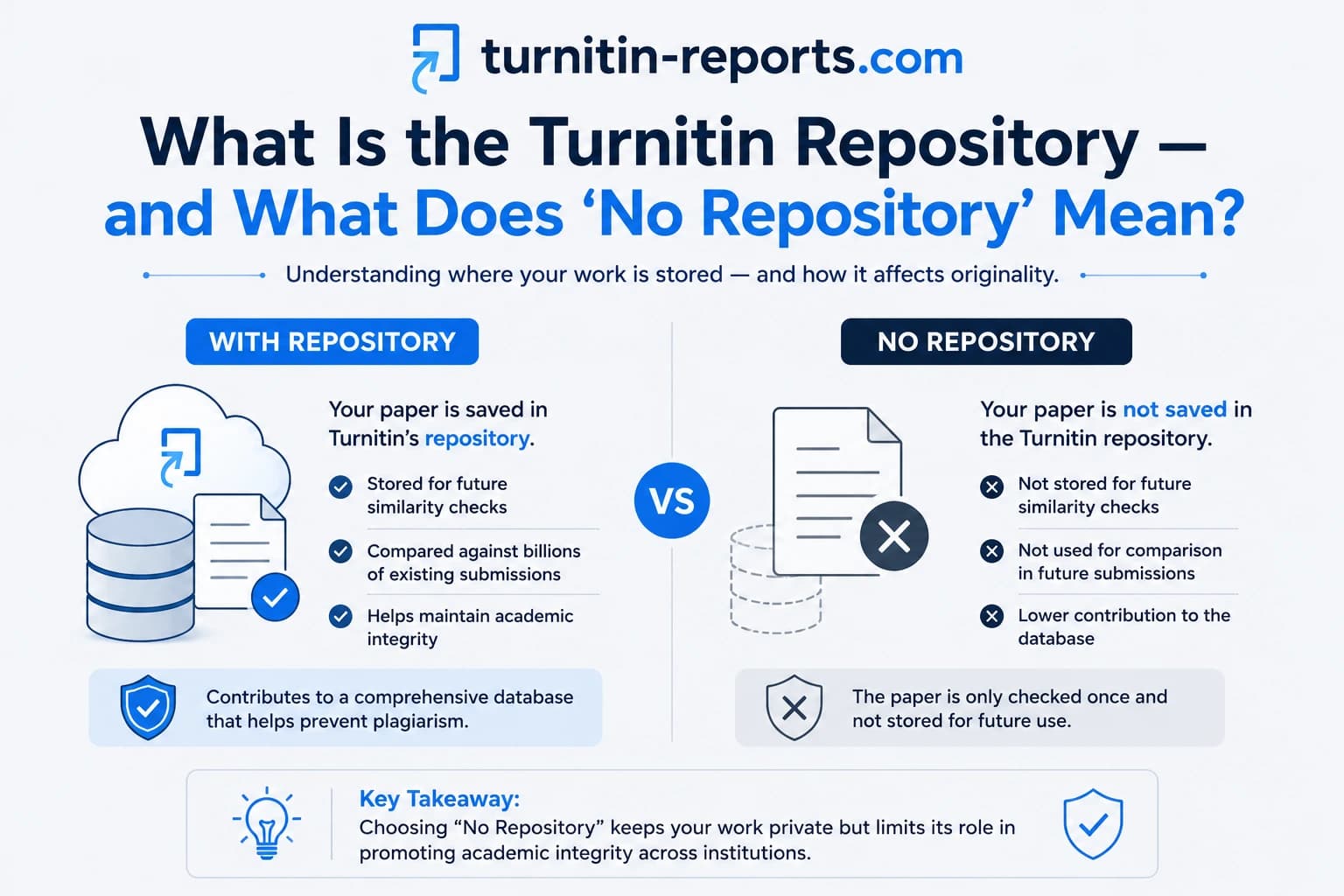
The Turnitin repository — formally called the student paper repository — is a global database of student submissions that Turnitin has accumulated since it launched. It currently holds over 1.6 billion student papers from universities in more than 140 countries.
When your assignment is submitted through an institutional Turnitin account and the repository setting is active, your paper is added to this database. It stays there indefinitely. Every future student submission, anywhere in the world, is checked against it. If someone quotes you, paraphrases you heavily, or submits work that closely resembles yours, Turnitin will flag the match.
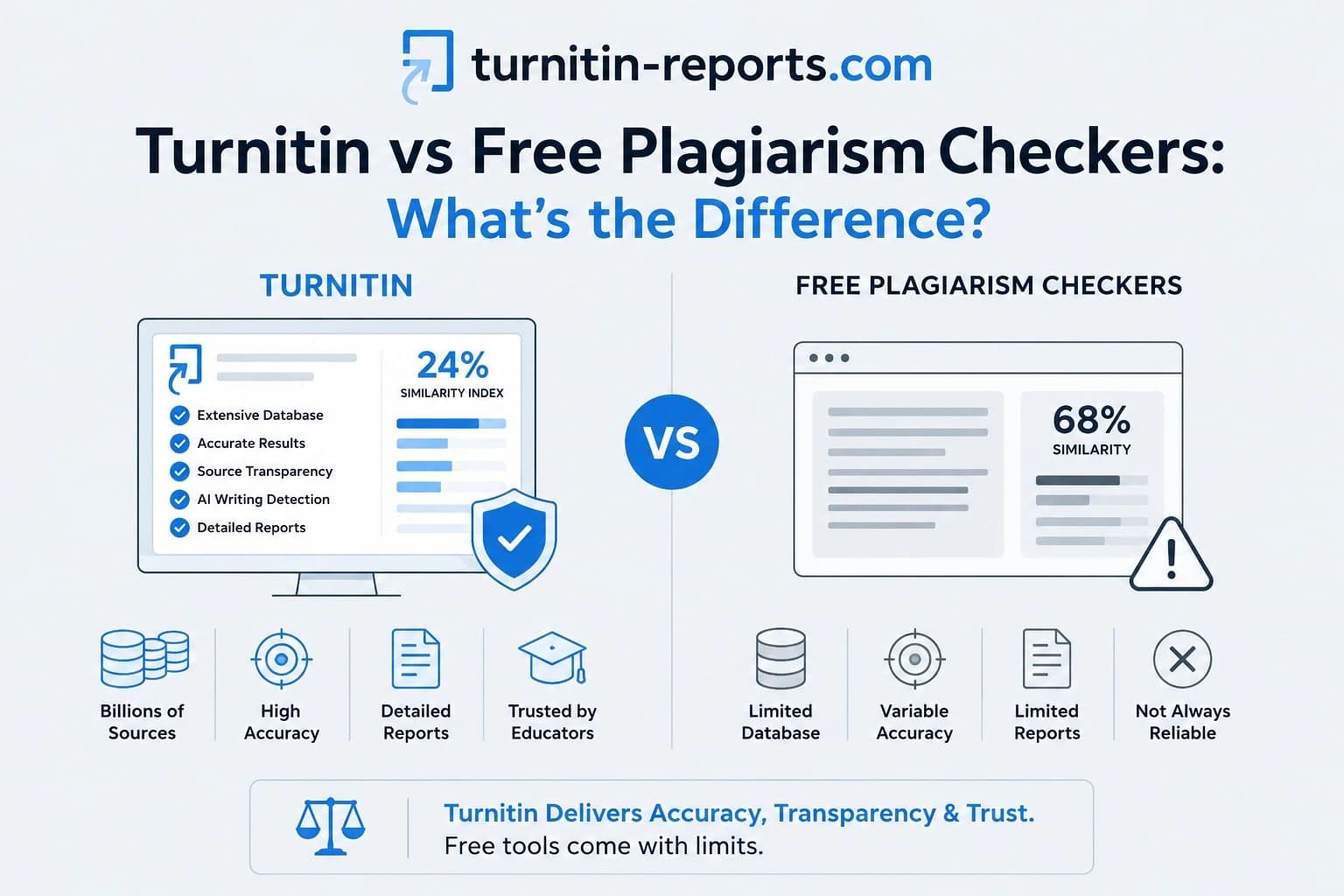
The repository is one part of Turnitin's broader comparison database, which also includes over 70 billion web pages, 69 million academic articles from more than 47,000 journals and publishers, and hundreds of thousands of law reviews and news sources. Turnitin publishes a breakdown of its database content if you want to understand exactly what your paper is checked against. The student paper database sits alongside all of this and is what makes Turnitin fundamentally different from free plagiarism checkers — which have no access to it at all. More on that distinction in our guide on Turnitin vs free plagiarism checkers.
The three repository settings
When an instructor creates a Turnitin assignment, they choose one of three repository options. Students cannot see or change this setting — it is set on the instructor side before you ever open the submission link.
Standard paper repository is the default. Your paper is added to Turnitin's global database and checked against all future submissions worldwide. It stays there permanently unless your institution formally requests removal in writing — a process that requires the institutional Turnitin administrator to submit a deletion request on your behalf. You cannot do this yourself.
Institution paper repository is a more restricted version. Your paper is stored only within your university's private pool, not the global database. It is still compared against other submissions at your institution, but it will not be flagged against papers submitted at other universities. Institutions sometimes use this for sensitive research or proprietary coursework.
No repository means your paper is not stored at all. Turnitin runs the full similarity check — comparing your text against web pages, journals, and all previously stored student papers — generates the report, and then discards your document. It is never added to any database. Future submissions cannot match against it. Turnitin's official documentation on assignment settings describes exactly how instructors configure this option.
The key point about “no repository” is that it does not reduce the quality or scope of the check in any way. Your similarity report is just as comprehensive as if your paper had been stored. The only thing that changes is what happens to your document afterwards.
Why the no repository setting matters for students
The biggest practical consequence of repository storage is what happens when you resubmit your own work.
If your first draft was submitted with the standard repository setting, it has been stored in Turnitin's database. When you submit a revised version — even if you wrote every word yourself — Turnitin will compare it against the stored first draft and flag the match. Depending on how much you changed, the similarity score could come back anywhere from 20% to 100%. This is called self-matching, and it can look identical to plagiarism in the report output.
Instructors who understand Turnitin well will recognise a self-match and look at the source — seeing that it matches the student's own previous submission. But not all instructors check this carefully, and an unexplained high similarity score can trigger an academic integrity process even when the work is entirely original.
For draft submissions, this is exactly why many instructors choose “no repository”: so students can submit early drafts for feedback or to check their own similarity score without that draft being stored and then flagging the final version. If your assignment allows multiple submissions or has a draft stage, it is worth asking your instructor which repository setting they have used.
Self-plagiarism and reusing your own work
A related but distinct issue is reusing your own work across different assignments. If you wrote an essay last semester and want to use sections of it in a new paper, Turnitin may flag those sections as matching your earlier submission — provided that paper was stored in the repository.
Whether this constitutes an academic integrity violation depends entirely on your institution's policy, not on Turnitin. Self-matching is not automatically self-plagiarism. Turnitin's own blog on self-plagiarism makes clear that the tool flags the match but does not make the academic judgement — that is left entirely to the institution. Some allow students to build on prior work with citation; others prohibit it entirely. If you are unsure whether reusing previous work is allowed, check your course guidelines or ask your lecturer before submitting.
Can students opt out of the repository?
In most cases, no. The repository setting is controlled entirely by the instructor or institution. It is not visible in your student submission view and cannot be changed after an assignment is created.
What you can do is ask. Many instructors are willing to set a specific assignment to “no repository” if a student explains why — for example, if the paper contains original research the student intends to publish, or if they are concerned about self-matching from a previous draft. It is a straightforward setting change on their end.
Students in the EU and UK have additional options under GDPR. Because Turnitin processes and stores data on US servers, and because storage is indefinite by default, privacy advocates have argued that storing student work without explicit consent may conflict with GDPR's data minimisation and storage limitation principles. If you are based in the EU or UK and have concerns about how your submitted work is stored, you can raise this with your institution's data protection officer. Your institution acts as the data controller for Turnitin submissions, which means your GDPR rights — including the right to access your data and the right to request deletion — must be directed through them, not through Turnitin directly.
How long does Turnitin store your paper?
Turnitin's default retention policy is indefinite storage. Papers submitted to the standard or institution repository remain in the database permanently, in encrypted form, unless a formal deletion request is submitted by your institution's Turnitin administrator.
There is no automatic deletion when you graduate, when a course ends, or after a set number of years. A paper you submitted as a first-year undergraduate could still be in the database a decade later, potentially matching against graduate submissions — including your own.
If you want a paper removed, you must go through your institution. Individual students cannot contact Turnitin directly to request deletion. Your institution's administrator can submit a written request, and Turnitin will process it — but this is not a fast or automatic process.
Check your similarity score before it matters
Whether your assignment uses the standard repository or no repository, knowing your similarity score before your institution sees it is always the better position to be in. If you have a self-match from a previous draft, an unexpectedly high score, or content flagged that you did not expect, you want to find that out before submission — not after.
AIPlagGuides gives you the same Turnitin similarity report your institution generates, in minutes, privately. Your document is never stored. Reports start from $1.50 for similarity only, or $2.70 for both similarity and AI detection together. Run your paper before you submit and go in with full information.
Frequently asked questions
What does “no repository” mean on Turnitin?
It means your submitted paper will not be stored in any Turnitin database after the similarity check runs. Turnitin still performs the full comparison against web pages, journals, and previously stored student papers — it just does not add your document to the database afterwards. Your similarity report is equally accurate with or without repository storage.
Can I see which repository setting was used for my assignment?
No. The repository setting is only visible to instructors when they set up the assignment. You cannot see it in your student submission view. If you need to know, ask your instructor directly.
Will Turnitin flag my own paper if I resubmit it?
Yes, if your original submission was stored in the repository. Turnitin will compare your new submission against the stored version and flag the match, potentially showing a very high similarity score. This is called self-matching. If the assignment used “no repository” for the first submission, there is nothing stored to match against, and resubmitting will not generate a self-match.
How long does Turnitin keep my paper?
Indefinitely, unless your institution submits a formal deletion request. There is no automatic removal when you graduate or when a course ends. Papers can remain in the database for many years after submission.
Can I ask my lecturer to use “no repository”?
Yes. It is a simple setting they can change when creating or editing an assignment. Instructors commonly use “no repository” for draft submissions, practice checks, or assignments involving sensitive research. If you have a good reason — such as intending to publish your work or avoiding a self-match — it is reasonable to ask.
Does “no repository” mean Turnitin won't detect plagiarism?
No. The similarity check is just as thorough regardless of the repository setting. Turnitin still compares your paper against billions of web pages, tens of millions of academic articles, and all previously stored student papers in the database. The only difference is that your own paper is not added to the database after the check completes.
Ready to check your paper?
Get your Turnitin report in minutes.
Same report your institution generates — delivered privately, fast.