Does Turnitin Keep Your Paper Forever? What Actually Happens After You Submit
Your submitted paper goes into Turnitin's database by default — and stays there indefinitely. Here's what that means for self-plagiarism, how long papers are actually stored, whether you can get yours deleted, and what the no-repository setting changes.
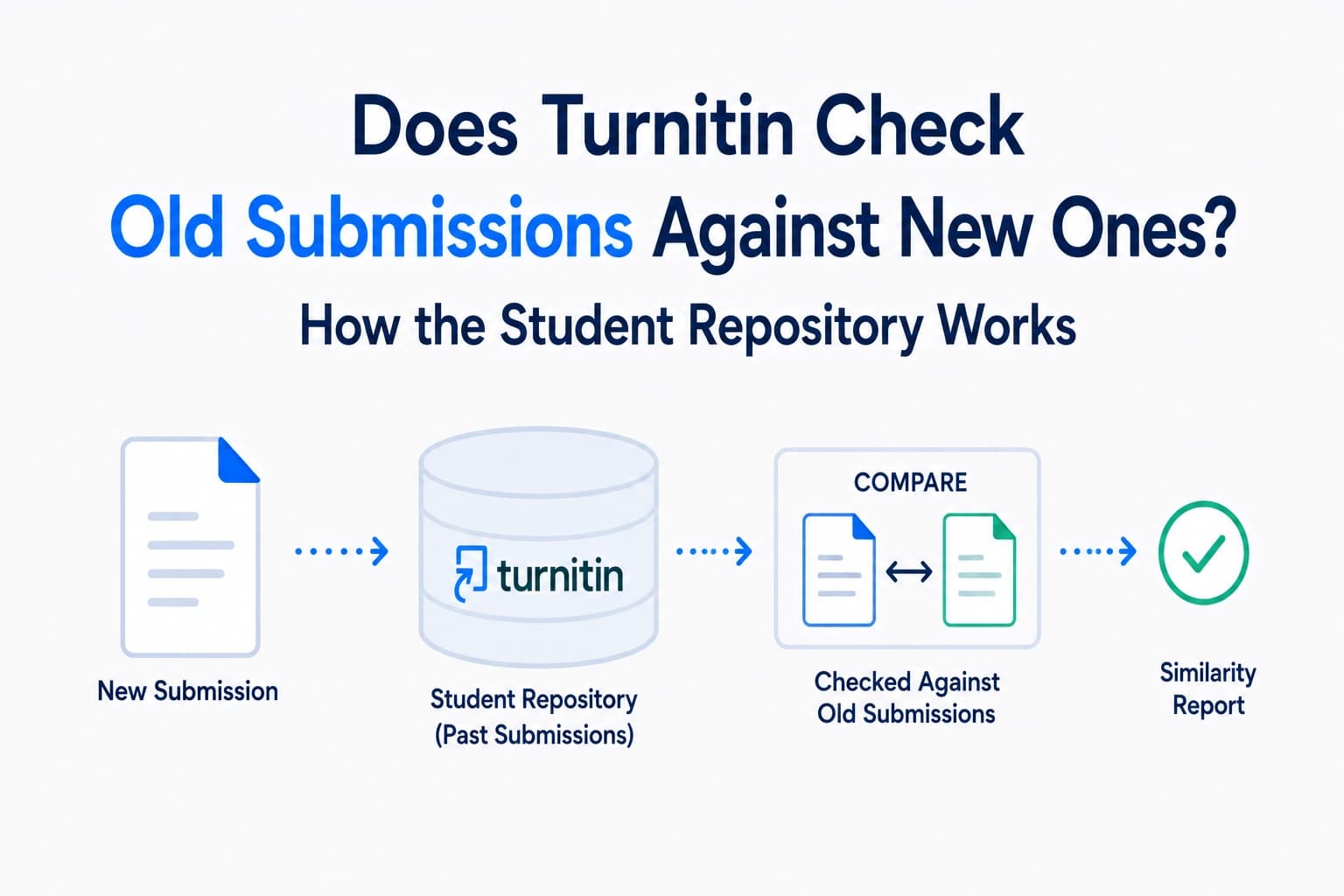
When you submit an essay through Turnitin, does it stay in the database forever? Can it be matched against future submissions — by you or by other students — years later? Can you get it deleted? These questions come up constantly in student forums and Reddit threads, particularly when students realise that a paper they submitted in their first year could appear as a match on their final-year dissertation. Here is exactly how Turnitin's storage works, how long papers are kept, and what your options are if you want something removed.
Yes — Turnitin stores your paper by default
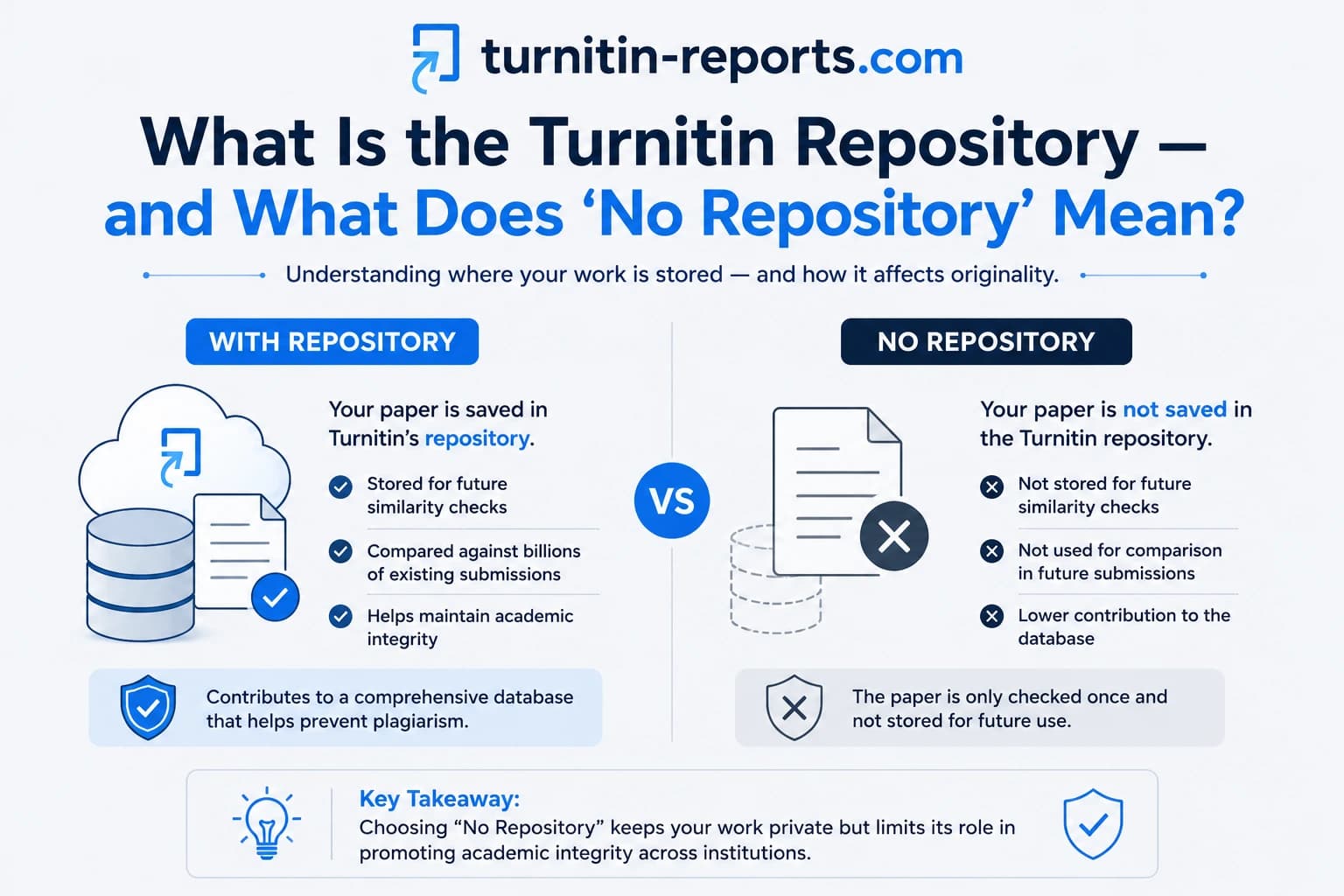
When you submit an assignment through a Turnitin-enabled platform, your paper is — by default — added to Turnitin's student paper repository. This is the database of over 1.9 billion previously submitted student papers that every new submission is checked against. Your essay joins that database and can be used as a comparison source for any future submission, from any institution worldwide that uses Turnitin.
According to Turnitin's paper deletion FAQ, papers are added to the repository indefinitely unless a deletion request is specifically made. There is no automatic expiration. A paper you submitted in 2020 is still in the database today — and will remain there unless someone actively requests its removal.
What this means in practice
The permanent storage has real consequences that students rarely think about:
- Reusing your own work across courses. If you submitted a paper in one course and want to build on it for another, Turnitin will flag your new submission as matching your old one. This is how self-plagiarism is detected — not through any special algorithm, but simply because your previous submission is in the database. Our post on whether Turnitin detects self-plagiarism covers exactly how this works and what counts as acceptable reuse.
- Papers submitted by other students matching yours. If you and another student independently write about the same topic using similar sources and phrasing, your earlier submission could appear as a source match on their later report — or vice versa. This can create confusing matches that neither student intended.
- Cross-institution matching. Turnitin's student paper database spans institutions worldwide. A paper submitted at one university can match against papers submitted at any other Turnitin-connected institution, in any country, going back decades. There is no geographical or institutional boundary on matching.
The no-repository exception
Not every submission goes into the database. Instructors can configure assignments with a “No Repository” setting, which means Turnitin still generates a Similarity Report but does not store the submitted paper. This is commonly used for:
- Draft submissions and practice assignments
- Assignments where students have privacy concerns about their work being stored
- Situations where the instructor wants similarity checking without adding to the permanent database
Students cannot see or control this setting — it is configured by the instructor when creating the assignment. You have no way of knowing whether your submission is being stored unless you ask your instructor directly. CUNY's teaching guide on the “Do Not Store Submitted Papers” feature explains how instructors activate this option. Our detailed post on what the repository and no-repository settings mean covers this from both the student and instructor perspective.
What happens to your paper after the semester ends
Nothing automatic. The end of the semester does not trigger any deletion or archiving of your submission. Your paper remains in exactly the same state — searchable in the repository — whether the course ended last week or five years ago. The class may be closed in your institution's learning management system, but Turnitin's database is separate from your institution's course platform. Closing or deleting a course does not remove its submissions from the repository.
City, University of London's retention guide notes that Turnitin content is retained in the database per Turnitin's standard terms unless a specific deletion request is submitted. Individual institutions may have their own data retention agreements with Turnitin that affect this, so the exact terms at your university may differ.
Can you get your paper deleted?
Yes — but you cannot do it yourself. Turnitin's help centre confirms that students cannot directly request or initiate the deletion of their own papers. For data privacy and contractual reasons, Turnitin only processes deletion requests from institutions — not from individual students. The process works as follows:
- You contact your institution — typically your instructor, department, or IT/registry office — and request that your paper be deleted from the Turnitin repository.
- The instructor or administrator submits a deletion request through Turnitin's internal workflow.
- A Turnitin account administrator at your institution reviews and approves the request.
- After deletion is confirmed, there is a 30-day recovery window during which the deletion can be reversed if it was made in error. After 30 days, the paper cannot be recovered under any circumstances.
GDPR, FERPA, and your data rights
Students in the EU and UK have rights under GDPR that are relevant here. Under GDPR, individuals have the right to request erasure of their personal data — the “right to be forgotten.” However, Turnitin operates as a data processor on behalf of your institution, which acts as the data controller. This means your GDPR request must go to your institution, not directly to Turnitin.
Turnitin's privacy policy acknowledges this: students who wish to access, amend, or delete their personal information should contact their educational institution. In the US, FERPA grants students rights over their educational records, which typically includes Turnitin submissions. In both cases, the practical path is the same — go through your institution.
Frequently asked questions
Does Turnitin keep your essay forever?
By default, yes. Papers submitted to a standard Turnitin assignment are stored in the repository indefinitely — there is no automatic expiration or deletion at the end of a semester, course, or academic year. Your paper can remain in the database and be matched against future submissions for years. Deletion requires a specific request made through your institution.
Can Turnitin match your old paper against your new submission?
Yes. If you submitted a paper previously through a Turnitin assignment where repository storage was enabled, that paper is in the database. If you reuse or build on that work in a new submission, Turnitin will flag the overlap as a similarity match — this is how self-plagiarism is detected. The match will appear in your Similarity Report regardless of how much time has passed.
Can I request that my paper be deleted from Turnitin?
You cannot delete it yourself, but you can request deletion through your institution. Contact your instructor or institution's registry or IT team and ask them to submit a paper deletion request through Turnitin's internal workflow. Under GDPR (for EU/UK students) and FERPA (for US students), you have data rights that support this request. After deletion is confirmed, there is a 30-day window to recover it; after 30 days it is permanently gone.
How do I know if my paper was stored in Turnitin's database?
You cannot tell from within the student view. The repository setting is configured by the instructor and is not visible to students. If you want to know whether your submission was stored, ask your instructor which repository setting was applied to the assignment. If the assignment was set to “No Repository,” your paper was scanned but not stored.
Ready to check your paper?
Get your Turnitin report in minutes.
Same report your institution generates — delivered privately, fast.